ShopOne Sales Pop is an application that displays popup notifications about recent orders, the number of customers adding products to their carts, remaining stock, the number of online customers, order summaries, and other announcements.
Our application helps customers display important notifications to create a sense of urgency and encourage buyers to make quick purchasing decisions.
With 6 popular notification types, you can choose the ones that best suit your website's strengths to impress customers. For example, if you don't have many orders yet, enable the "products added to cart" feature and the number of online customers to let your customers know that your store is a potential store with many active customers.
Sales Pop Settings: This applies to all types of popups with the same display mechanism.
1. Display device
Allows sales pop-ups to display on both desktop and mobile devices, or to display them separately on each device.
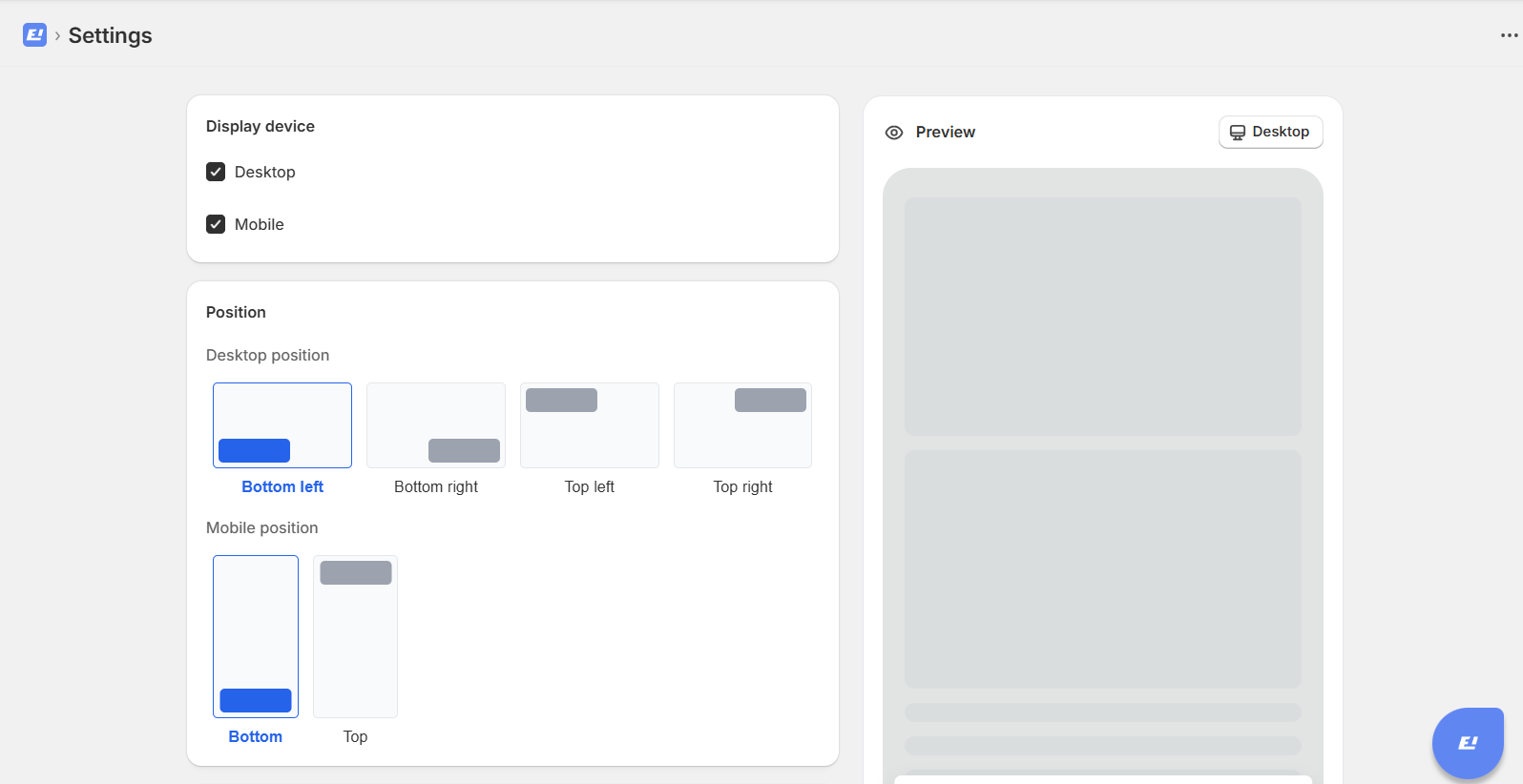
2. Position
Desktop position
Allows display in the top corners of the desktop, including bottom left, bottom right, top left, and top right.
Mobile position
Allows display at the top or bottom of a mobile device.
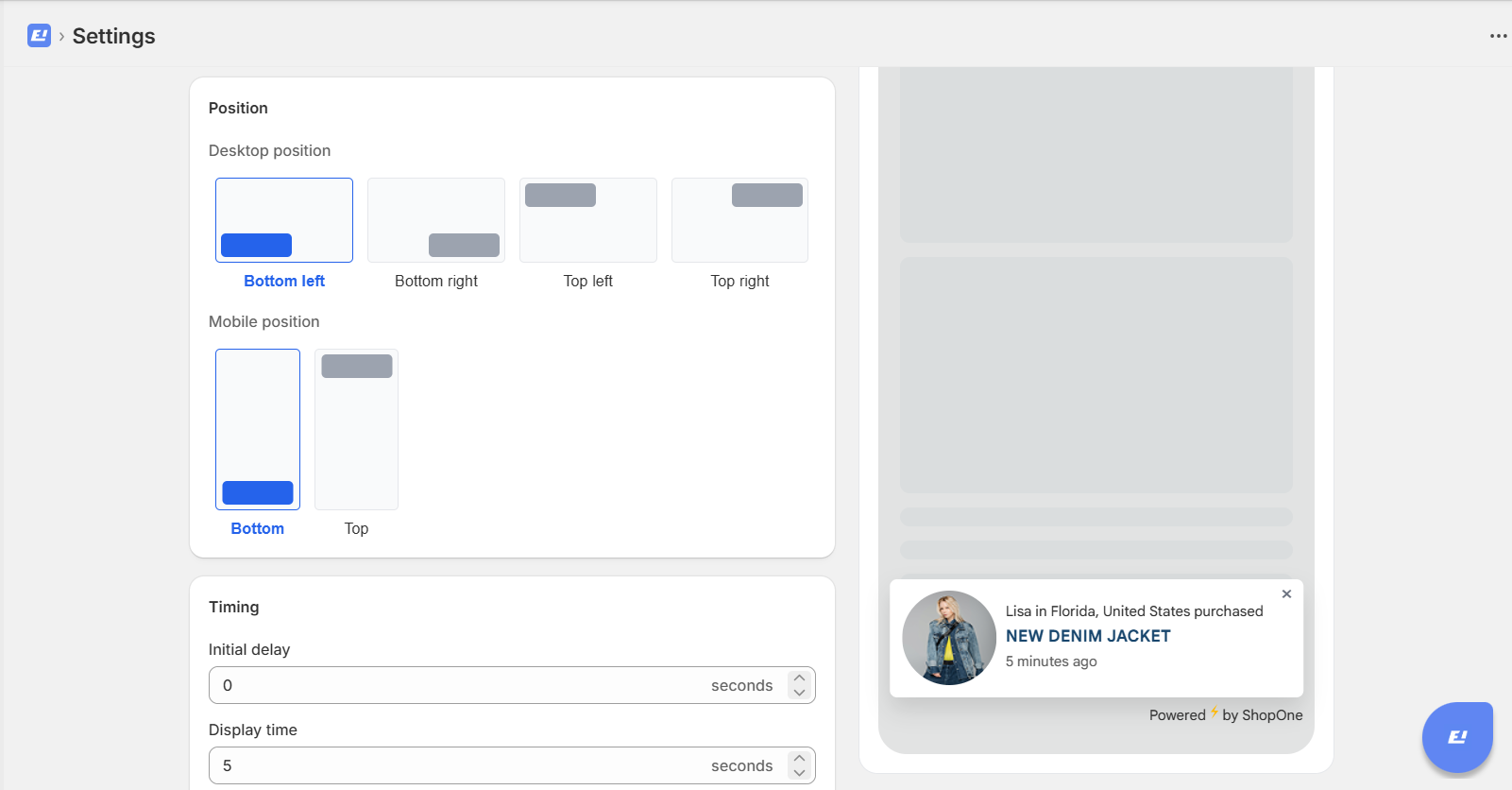
3. Timing
Initial delay: The initial delay time before the sales popup appears on the customer's page.
Display time: How long the sales popup will be displayed on the customer's page.
Delay between notifications: The time interval between two sales popups when they appear.
Maximum notifications per page: The maximum number of sales popups that can be displayed on a page.
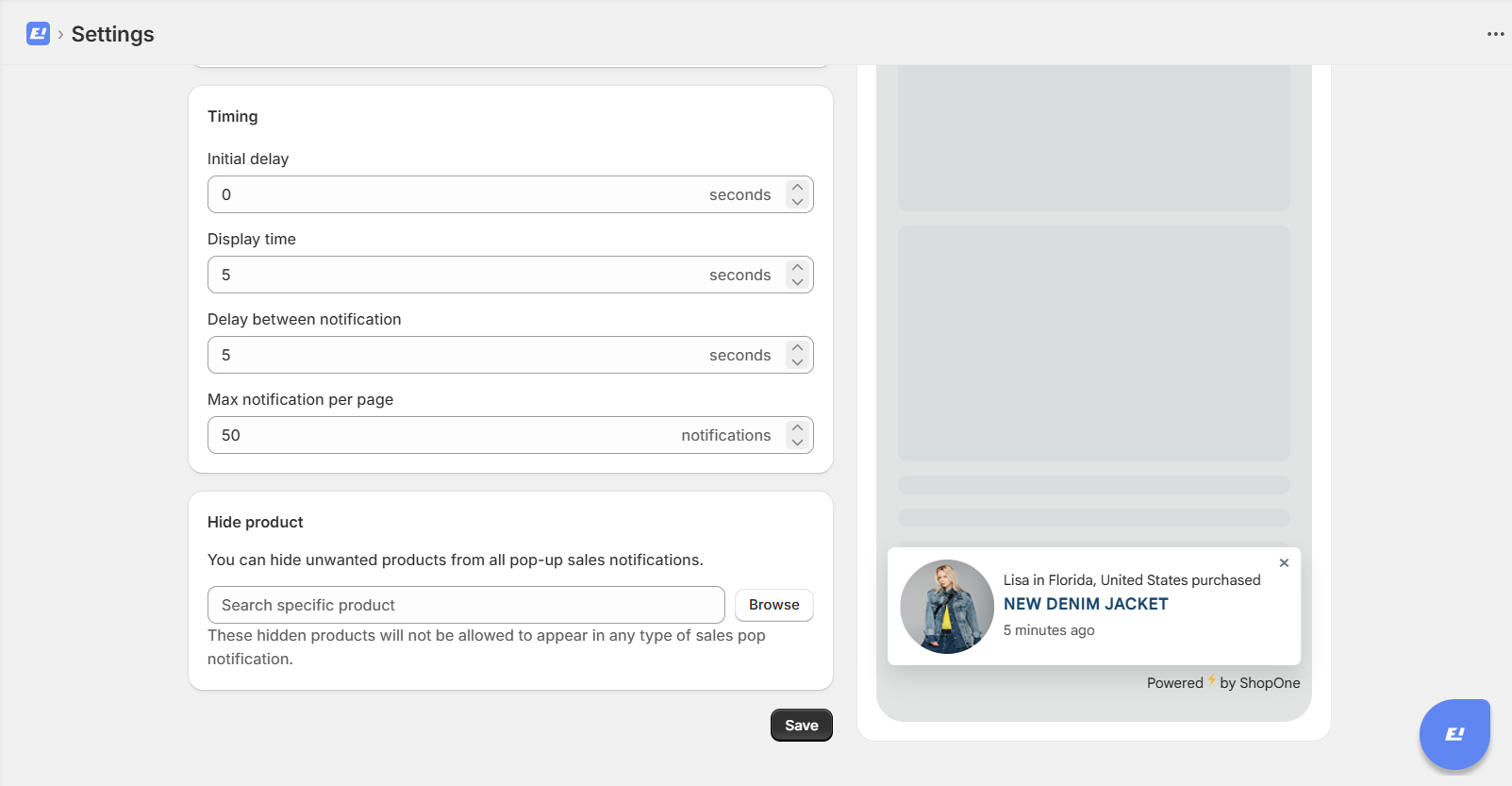
4. Hide product
You can hide unwanted products from all pop-up sales notifications.
These hidden products will not be allowed to appear in any type of sales pop notification.
Thanks for reading! If you have any questions, please contact us via email: support@shopone.io
Was this article helpful?
That’s Great!
Thank you for your feedback
Sorry! We couldn't be helpful
Thank you for your feedback
Feedback sent
We appreciate your effort and will try to fix the article