You can import and export pages from ShopOne to save time on customization and quickly create useful pages from pre-existing templates.
Export page from ShopOne
Step 1: Go to "Landing & Pages", create pages and they will be displayed here. To export one or more pages, simply select one or more pages.
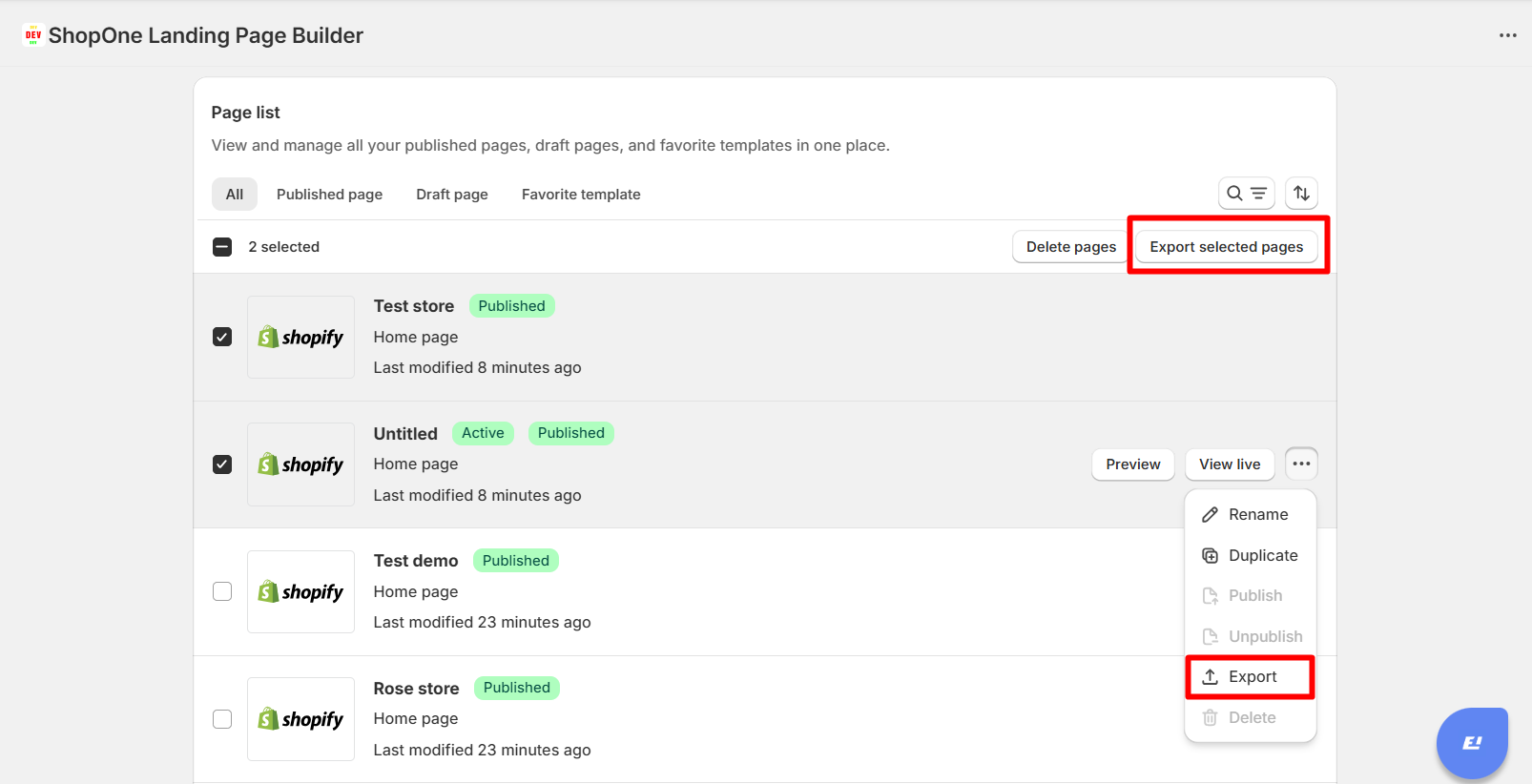
Step 2: Click the "Export" button or "Export selected pages" button to export pages.
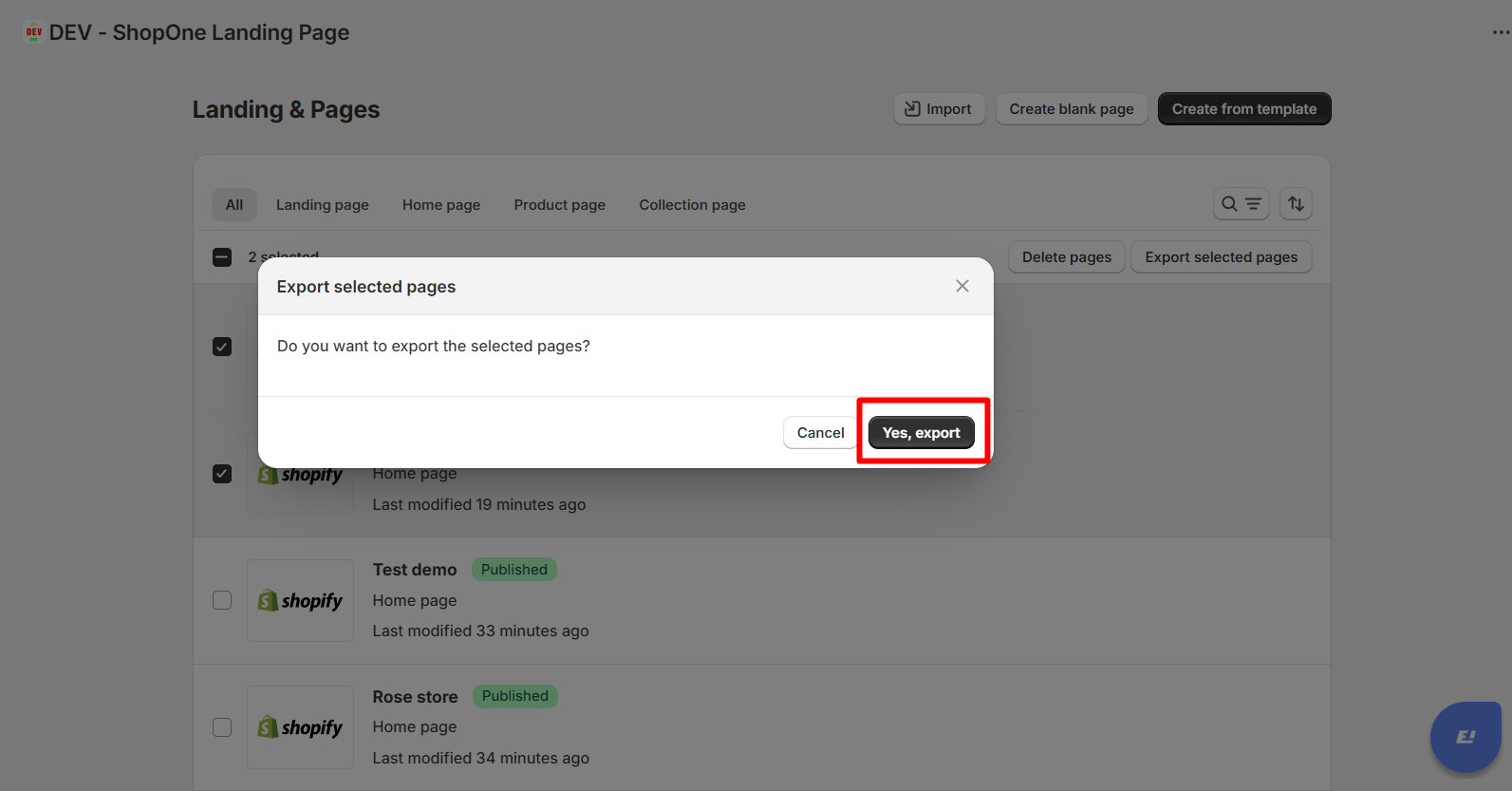
Step 3: Click the "Yes, export" button to export page.

Import page from ShopOne
Note: Only accept file.shopone
Step 1: Go to "Landing & Pages", click the "Import" button to import one or more pages.
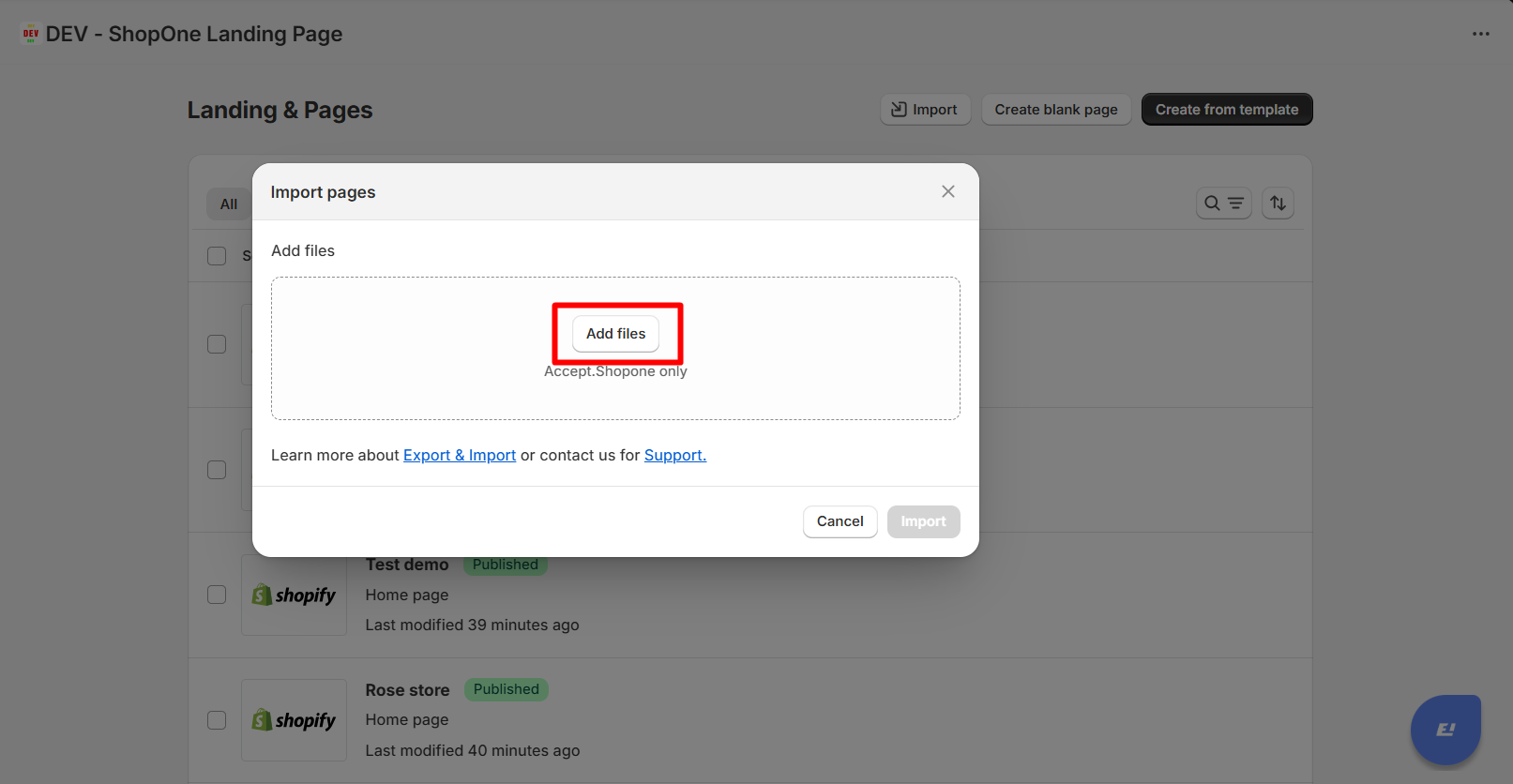
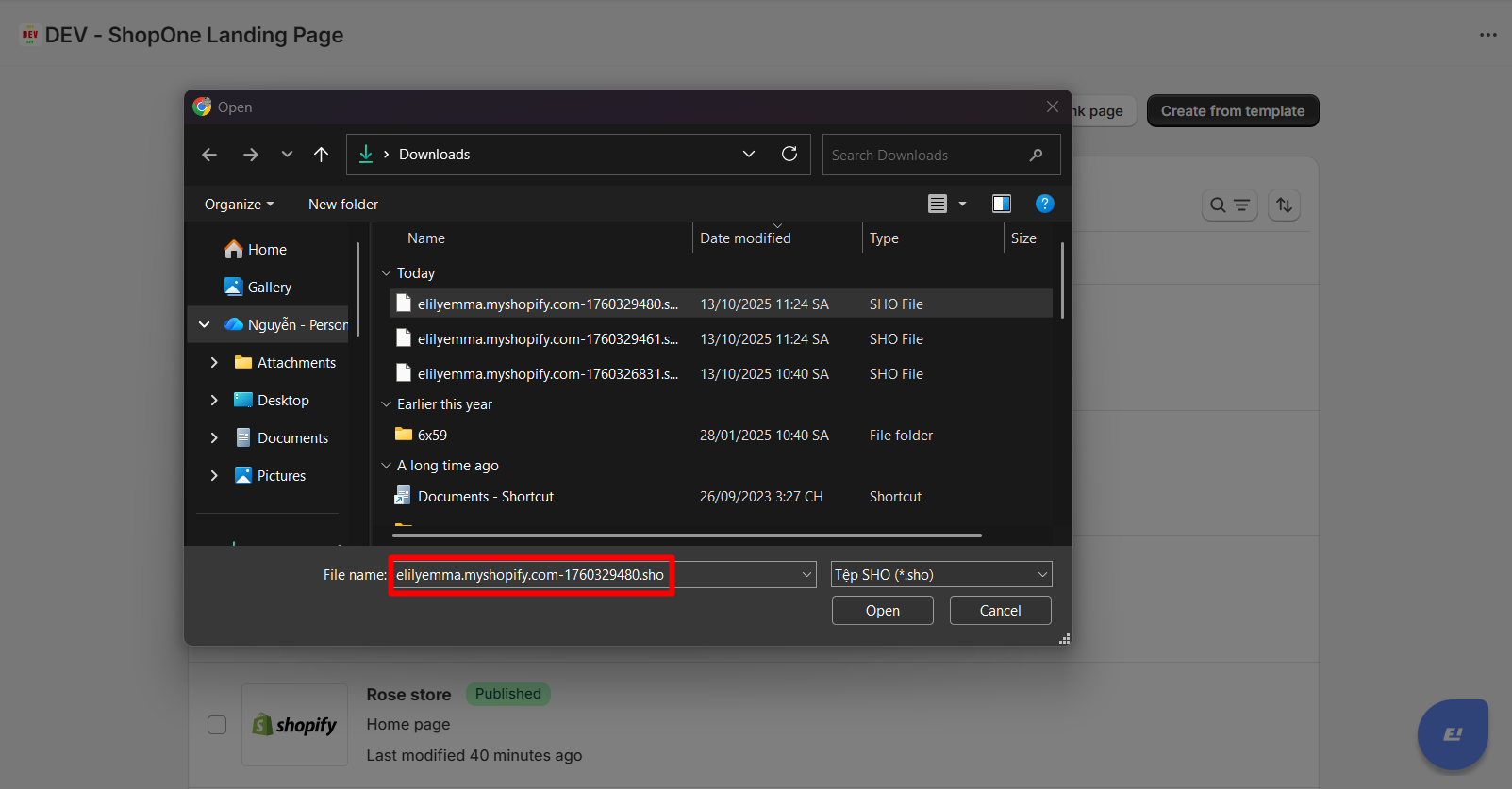
Step 2: Select the file with .sho to upload.
Step 3: Click the "Import" button to import Shopone's file.
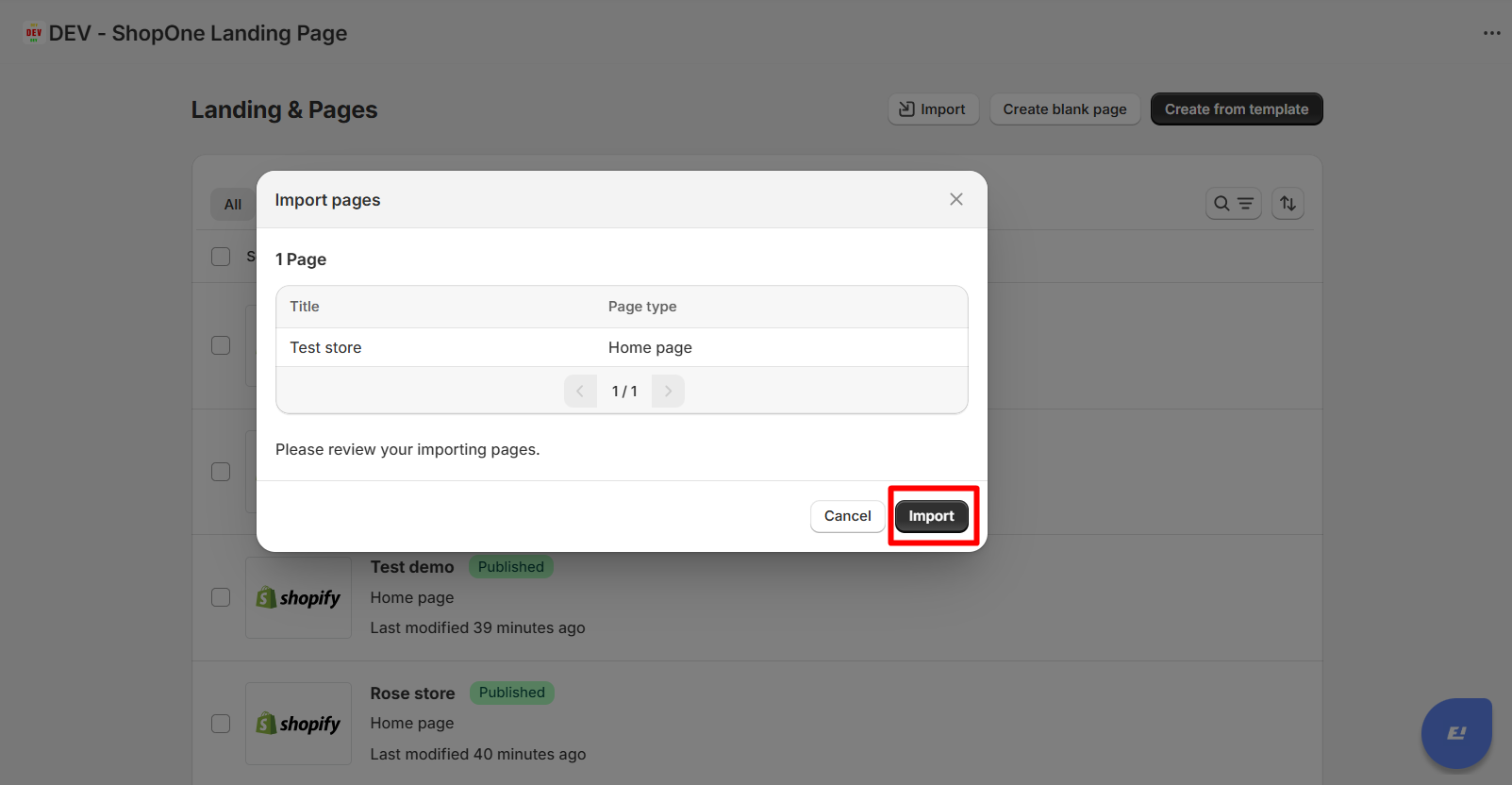
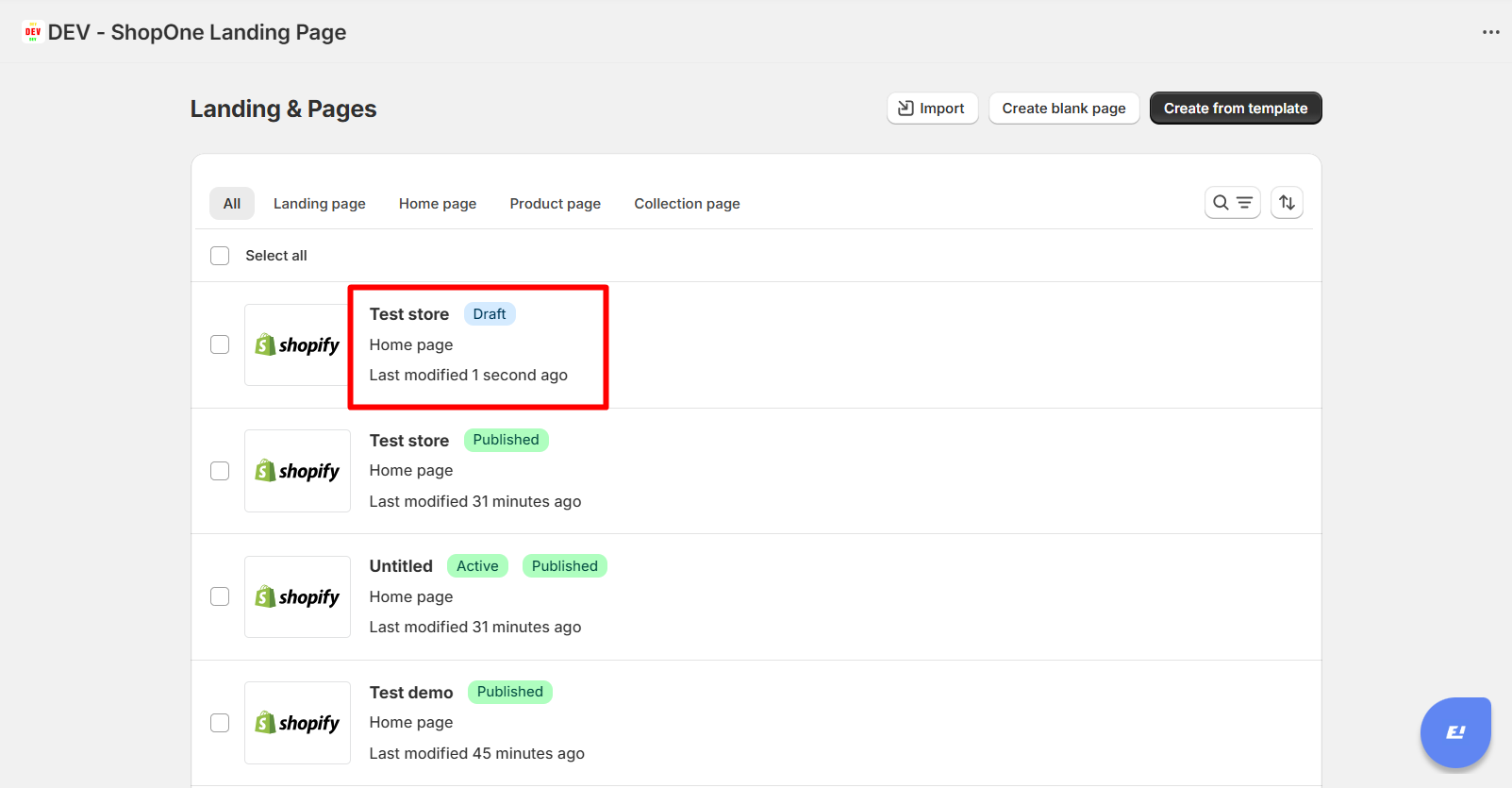
Step 4: A new file has been imported in Draft status. You can start editing the information and publish it immediately.
Thanks for reading! If you have any questions, please contact us via email: support@shopone.io
Was this article helpful?
That’s Great!
Thank you for your feedback
Sorry! We couldn't be helpful
Thank you for your feedback
Feedback sent
We appreciate your effort and will try to fix the article