ShopOne offers a variety of pre-made page designs with a variety of themes for customers to easily choose from. Each design is optimized from the elements to promote sales and optimize conversions.
To create a page from the library of available templates, you can follow the steps below.
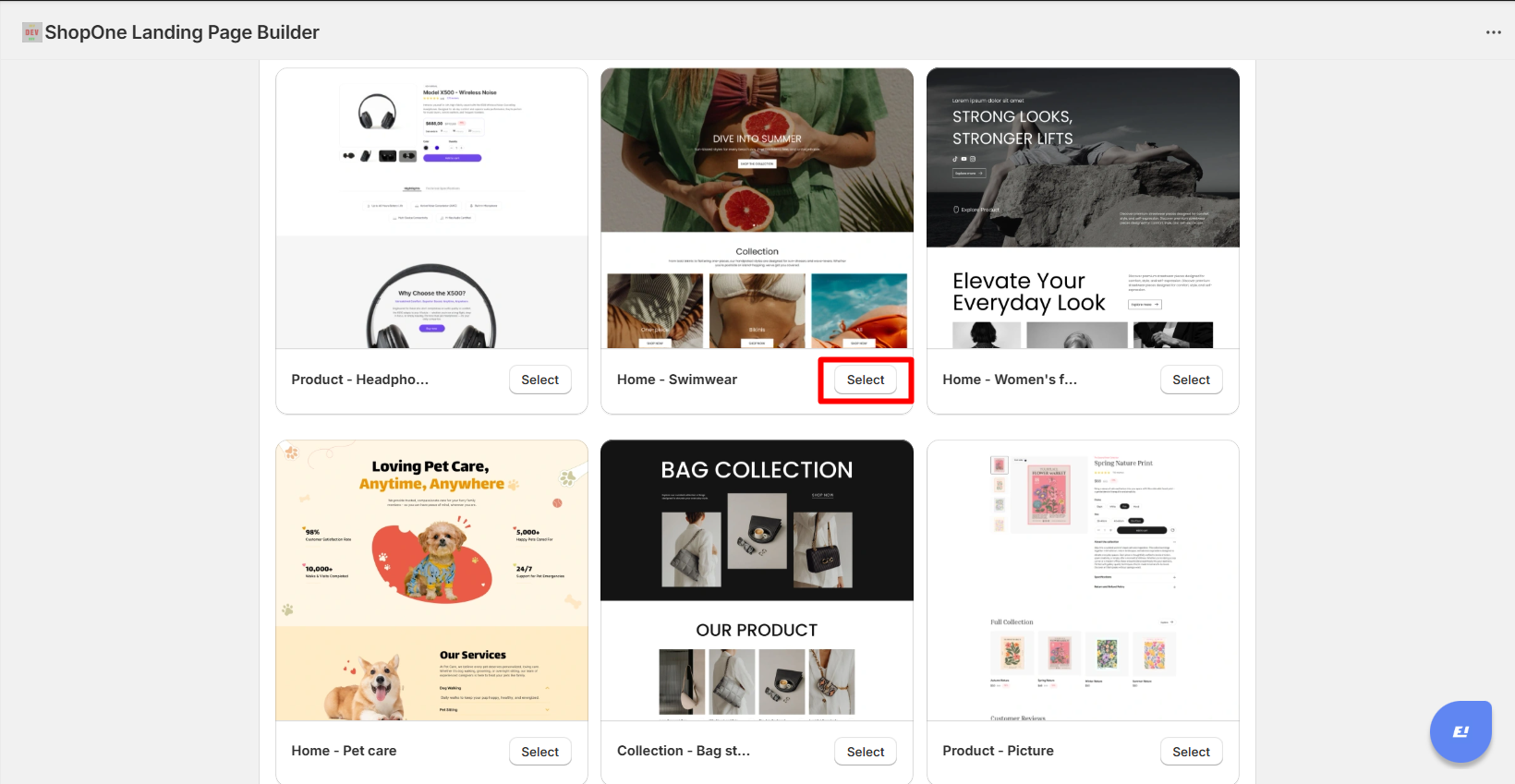
Step 1: Go to “Landing & Pages” section, choose a pre-made design from your favorite theme.
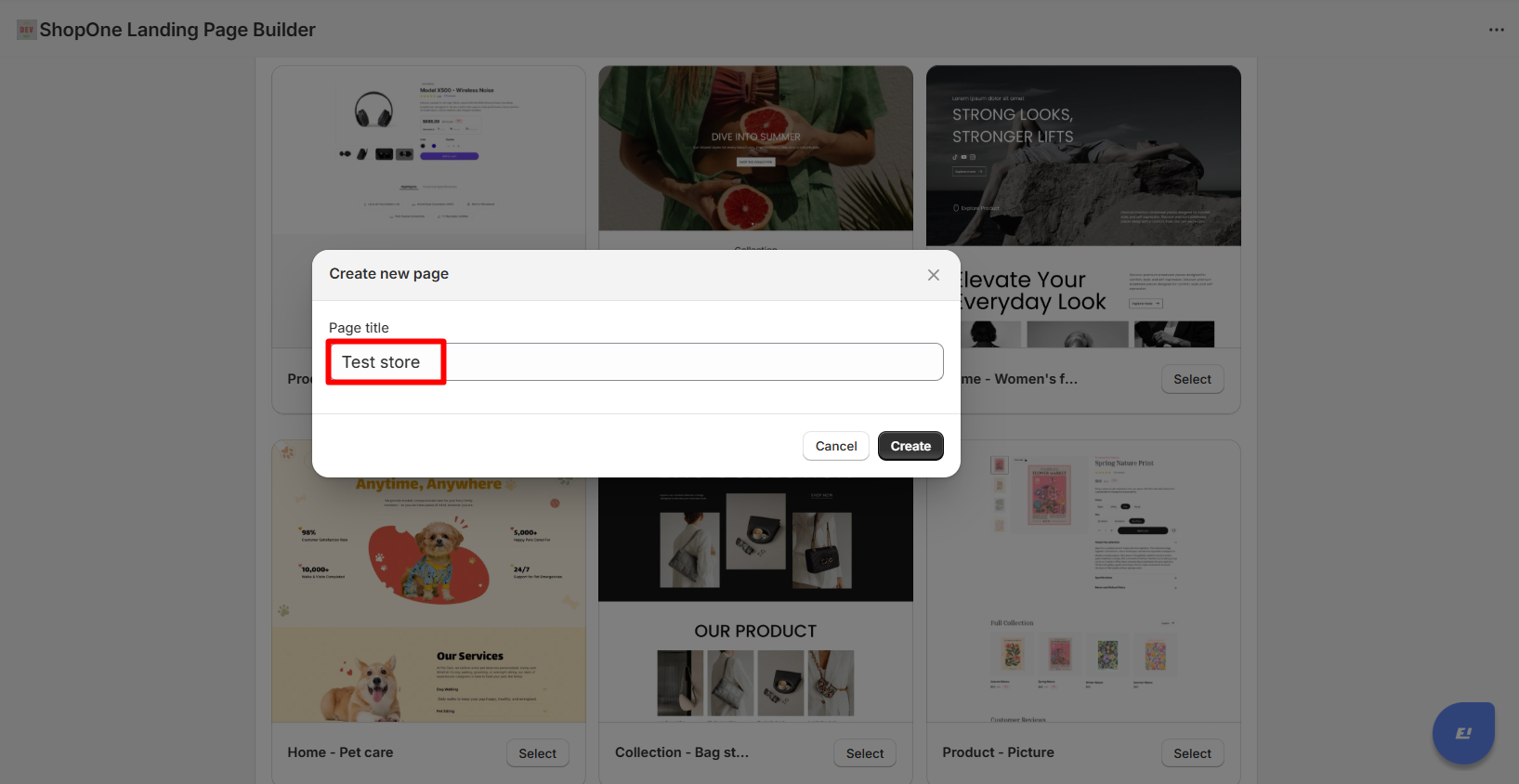
Step 2: Create page title names for easy distinction in page lists.
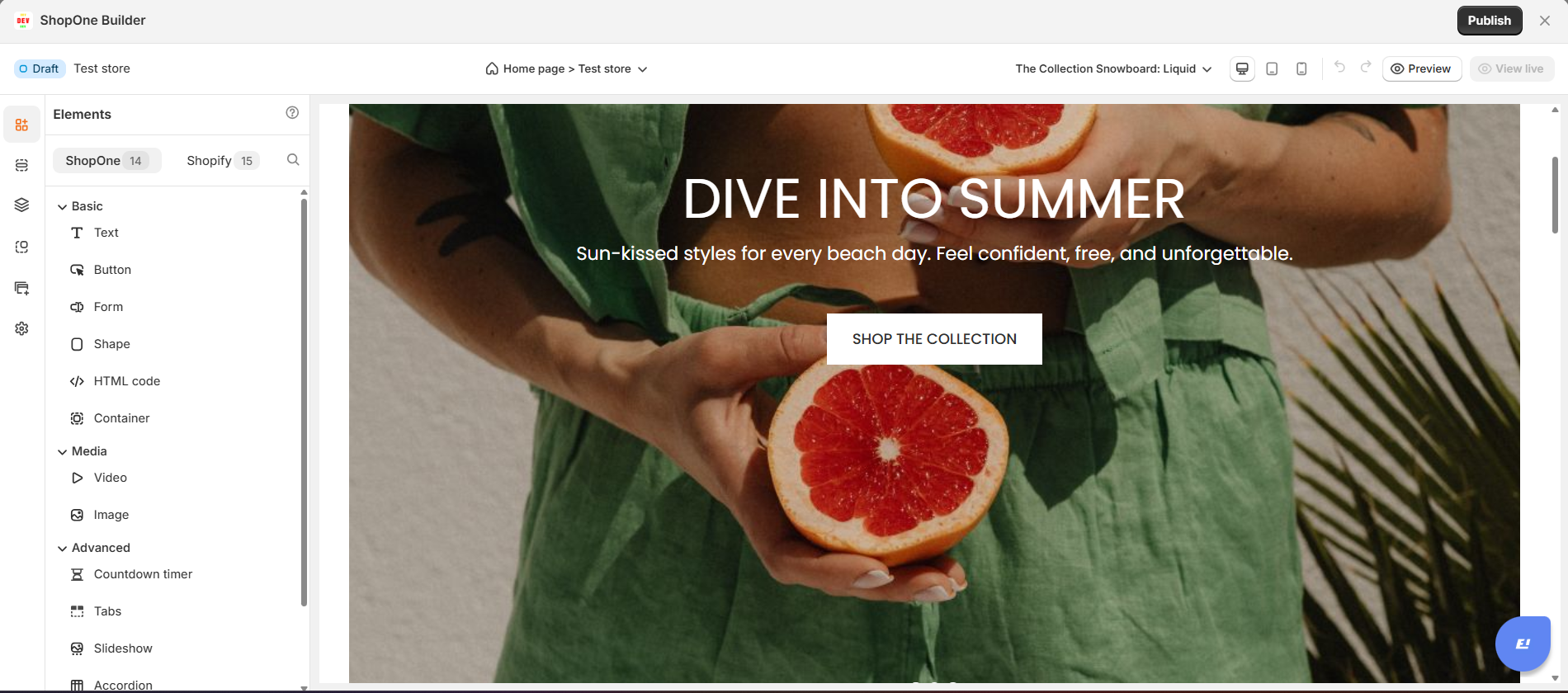
Step 3: You will see the editor page with ShopOne elements and Shopify elements. Here, you can change text, colors, buttons, add elements such as images, videos, countdown, registration form... to optimize your sales page.
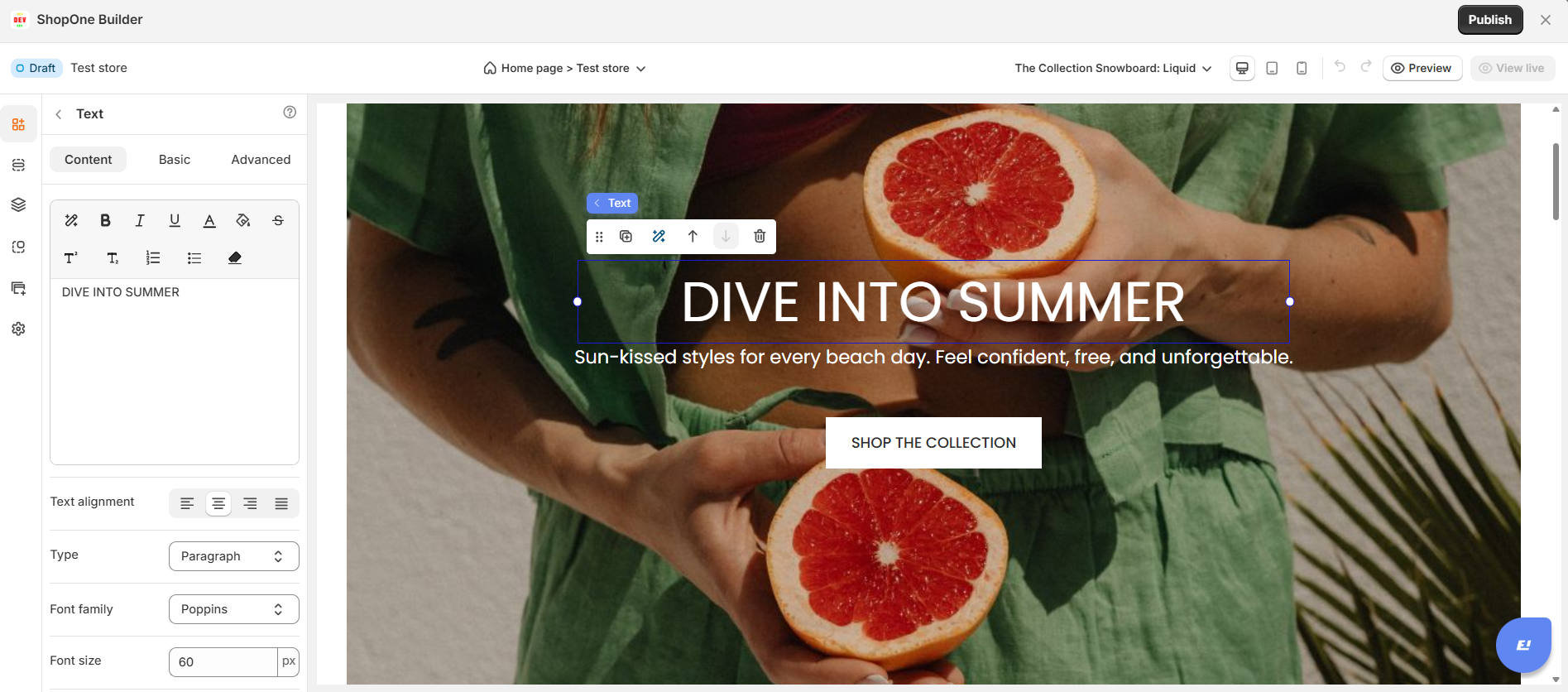
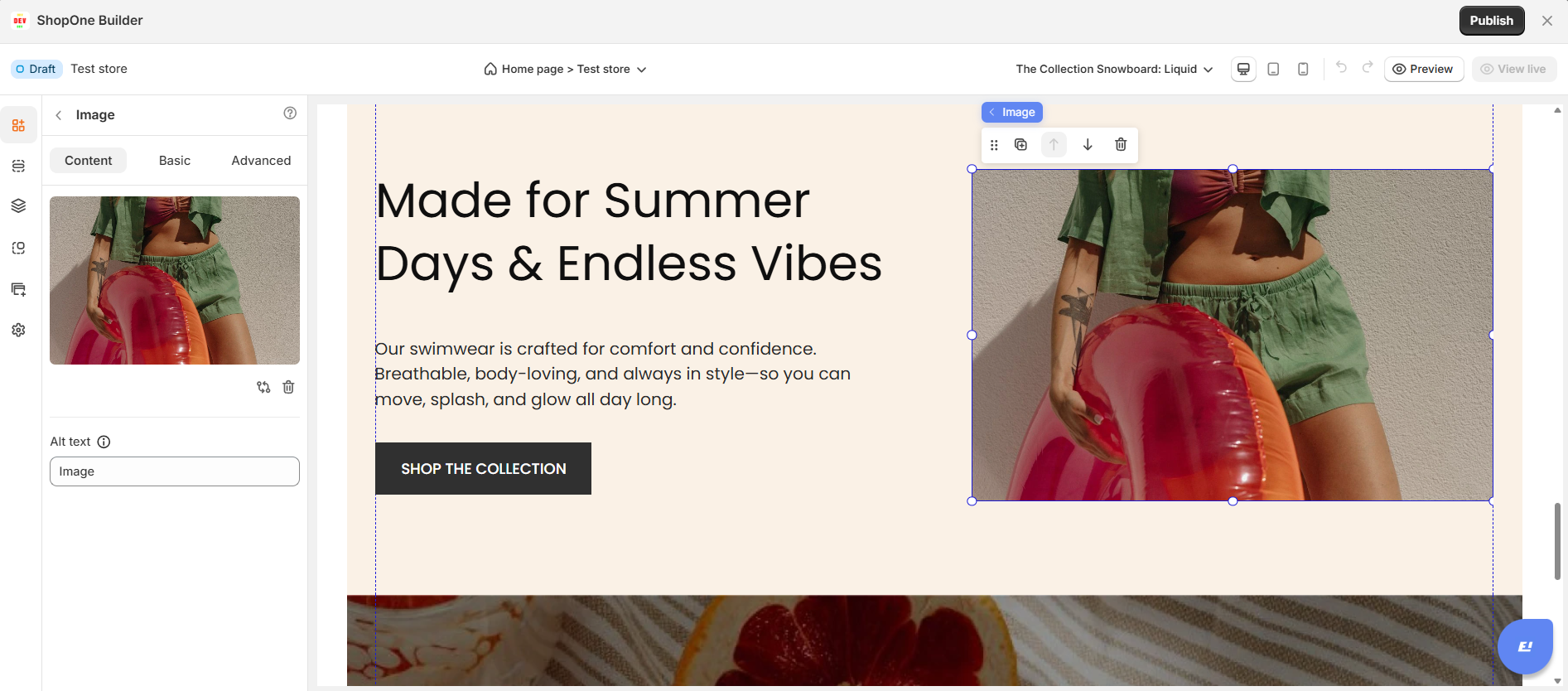
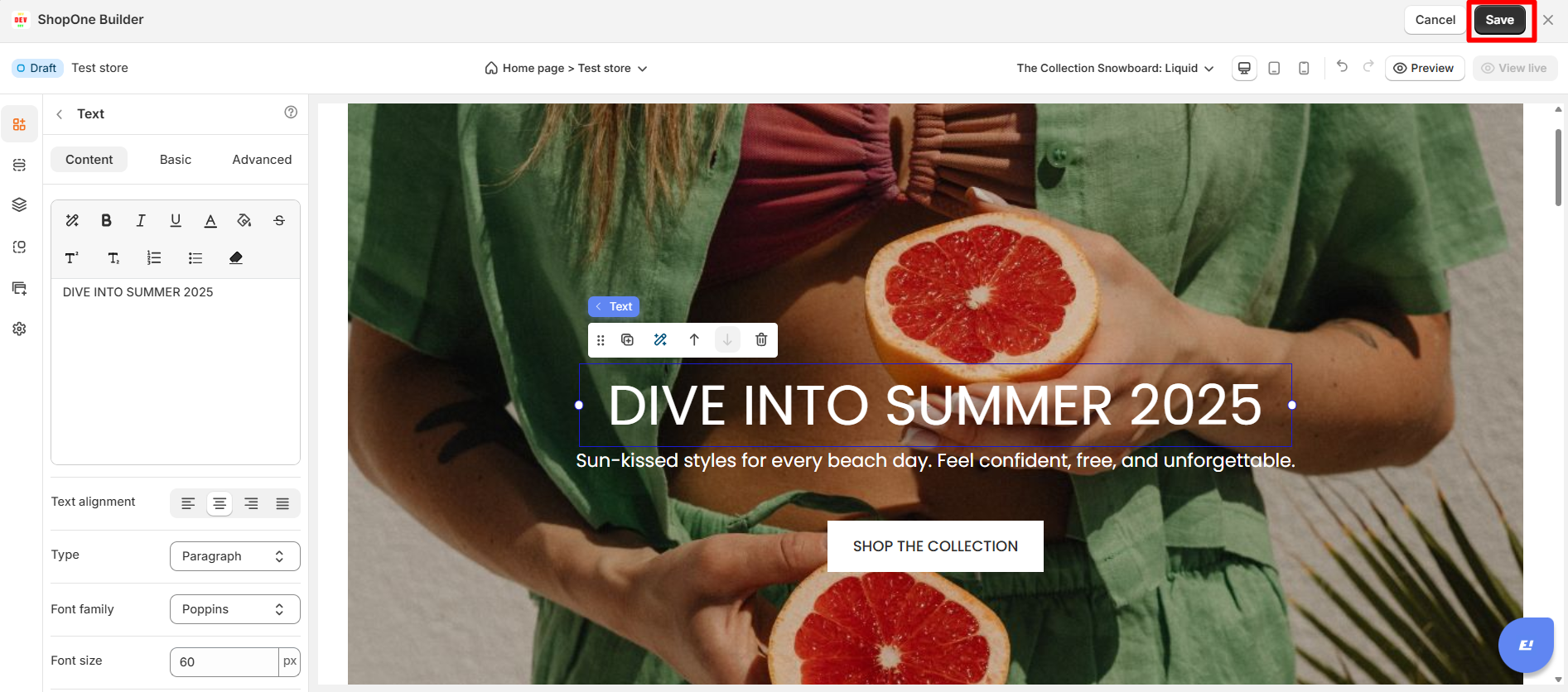
Step 4: Once you have edited the elements on the page, click the "Save" button to save your edits.
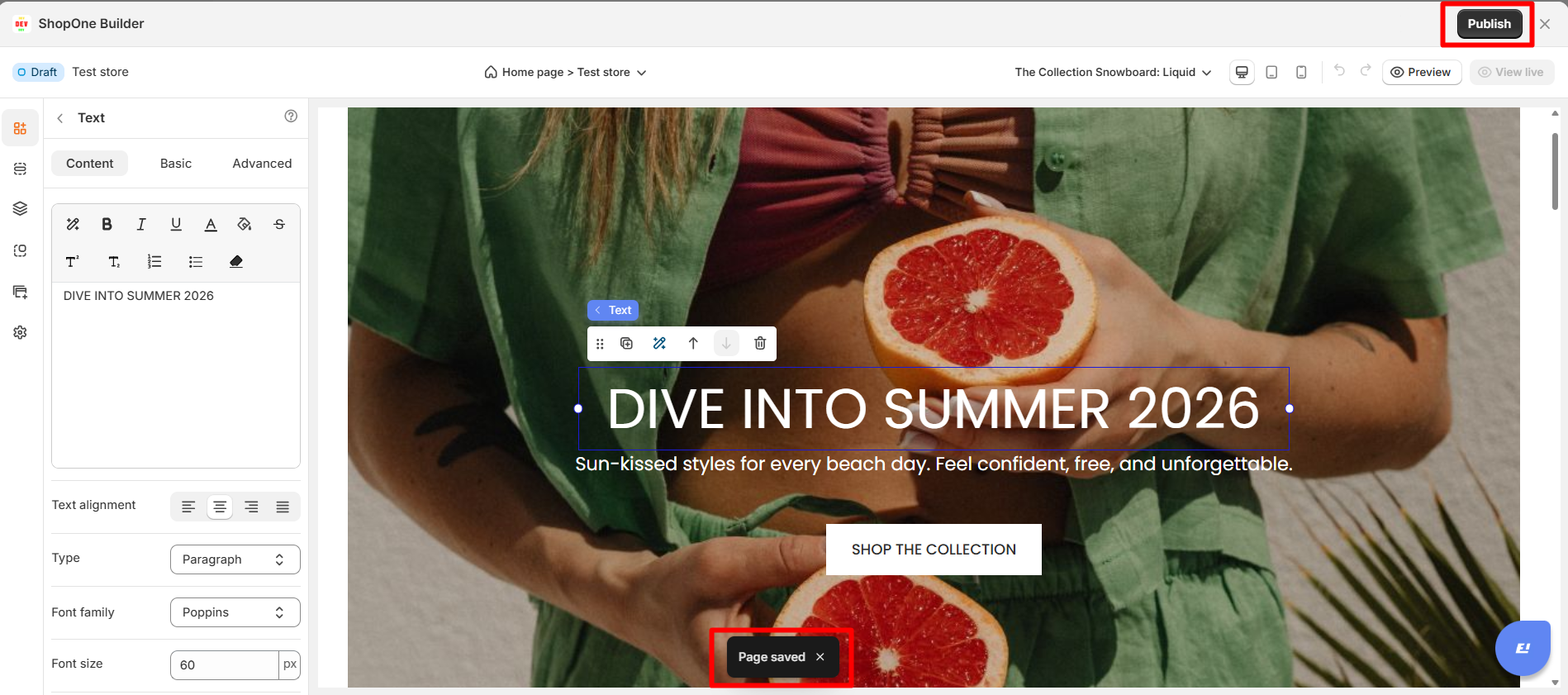
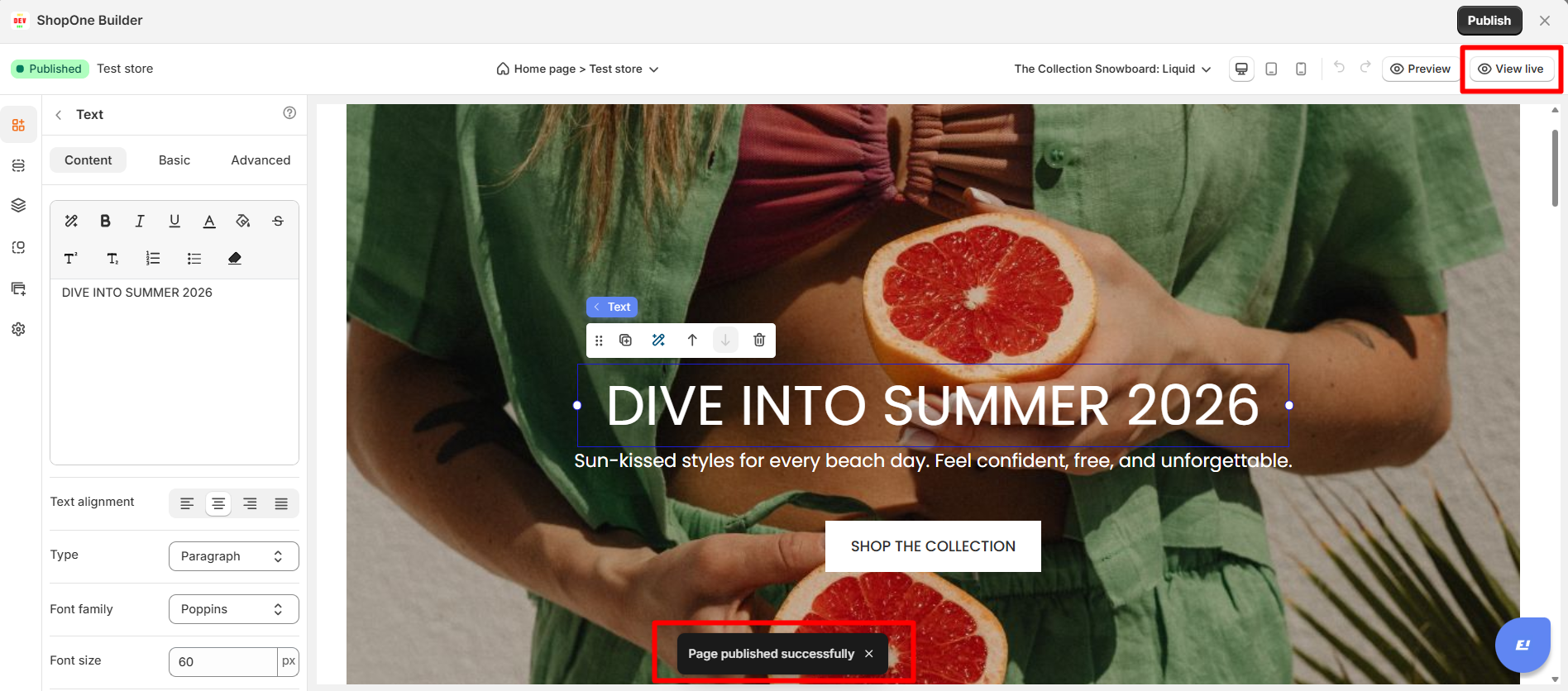
Step 5: Once the page has been saved, click the Publish button to publish the page.
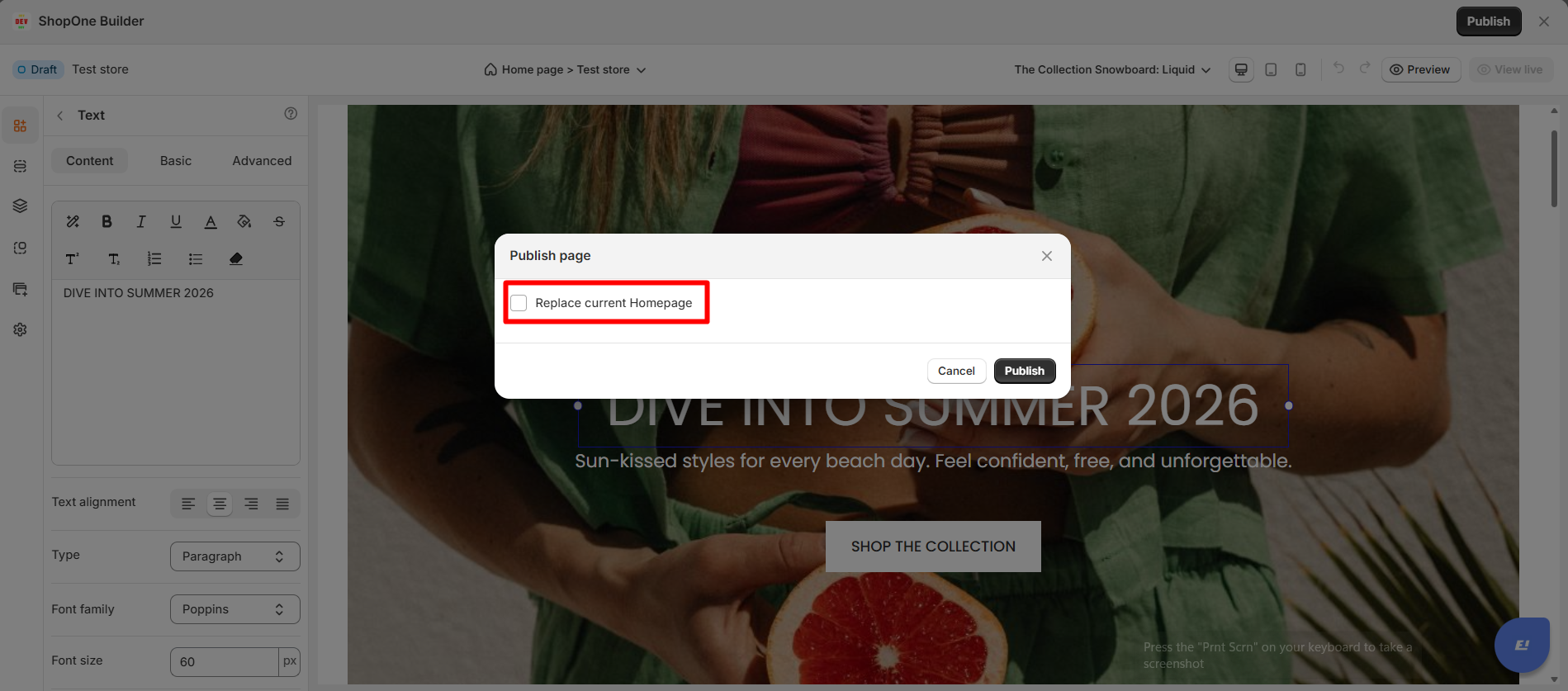
Step 6: You can choose whether this change will replace existing pages or add this template over to the old theme.
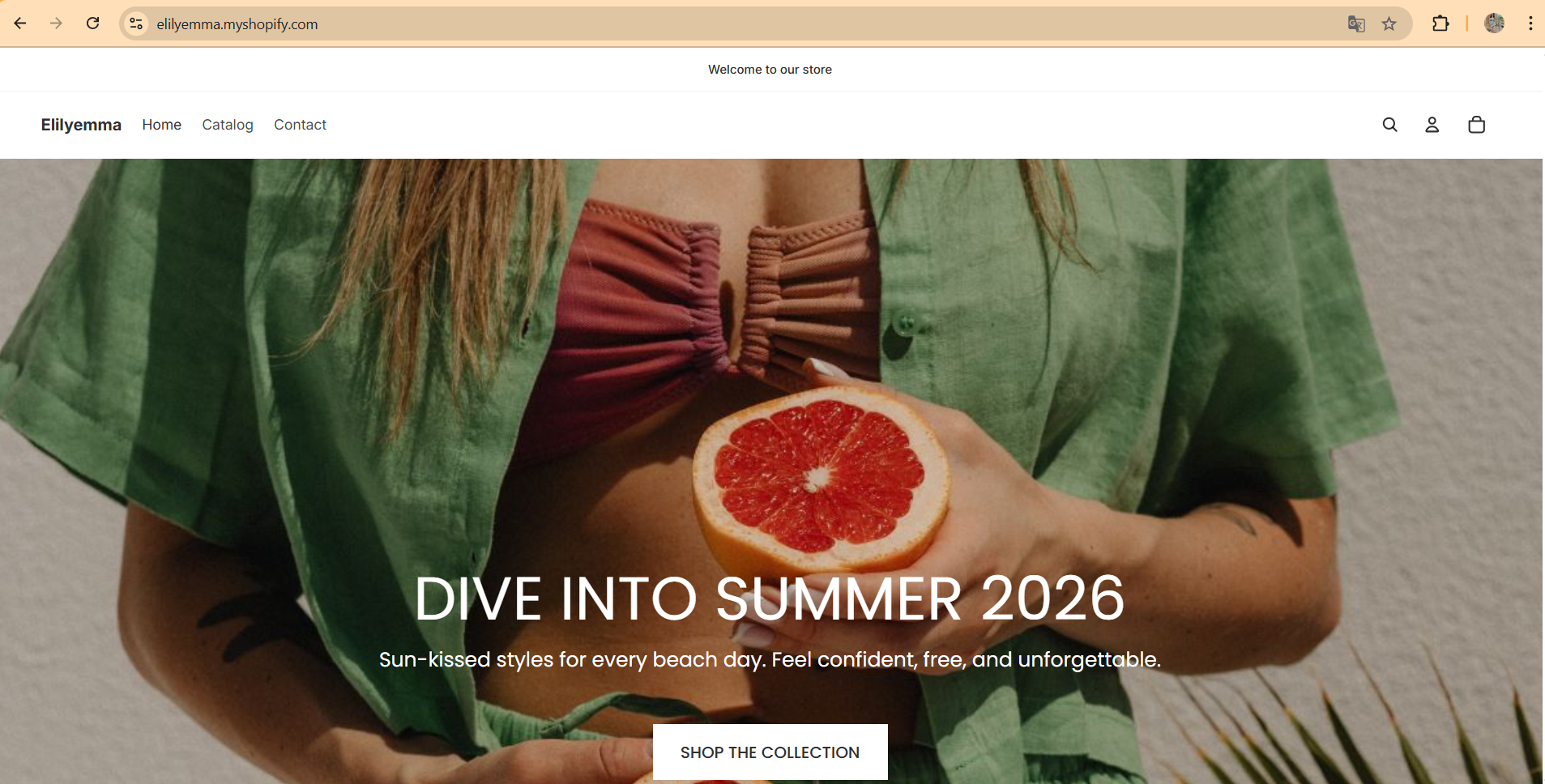
Step 7: Once the page is published, you can click the Preview or View live button to see the actual page on your website.
Conclusion
To create a page from the available template library, you just need to select the template, edit the elements on the page, save the changes and publish the page on your website.
Note: Each page on your website can only publish 1 theme at a time.
Thanks for reading! If you have any questions, please contact us via email: support@shopone.io
Was this article helpful?
That’s Great!
Thank you for your feedback
Sorry! We couldn't be helpful
Thank you for your feedback
Feedback sent
We appreciate your effort and will try to fix the article